User guide
Using HeliLab, day to day
Six things you will do most often. Each takes under a minute, and each one updates the whole aircraft record automatically.
01 · Daily
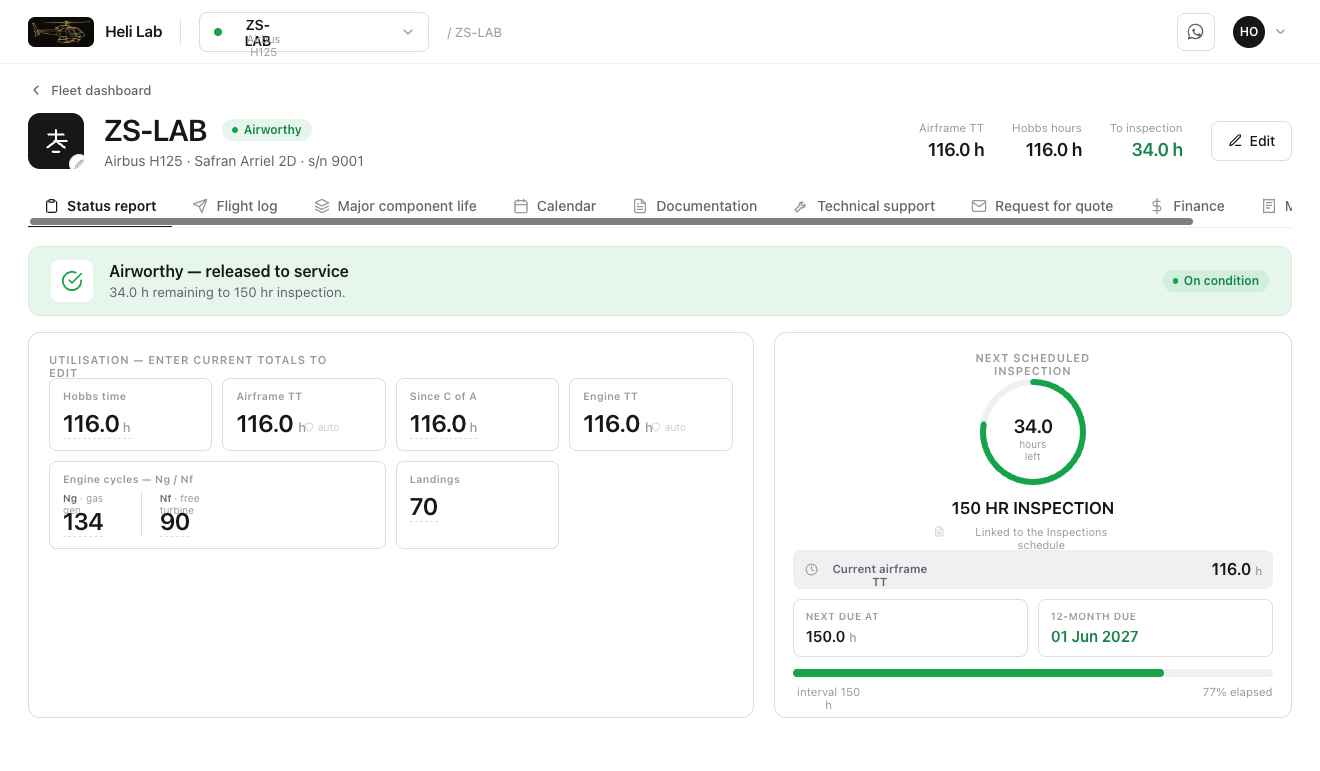
Capture the flight
Enter Hobbs time after flying. Airframe TT, engine TT, cycles and time since C of A move with it — you never update the same number twice.
- Open the aircraft, tap the utilisation card, type the new reading
- Ng / Nf cycles and landings captured in the same step
- Everything downstream recalculates instantly
03 · Ongoing
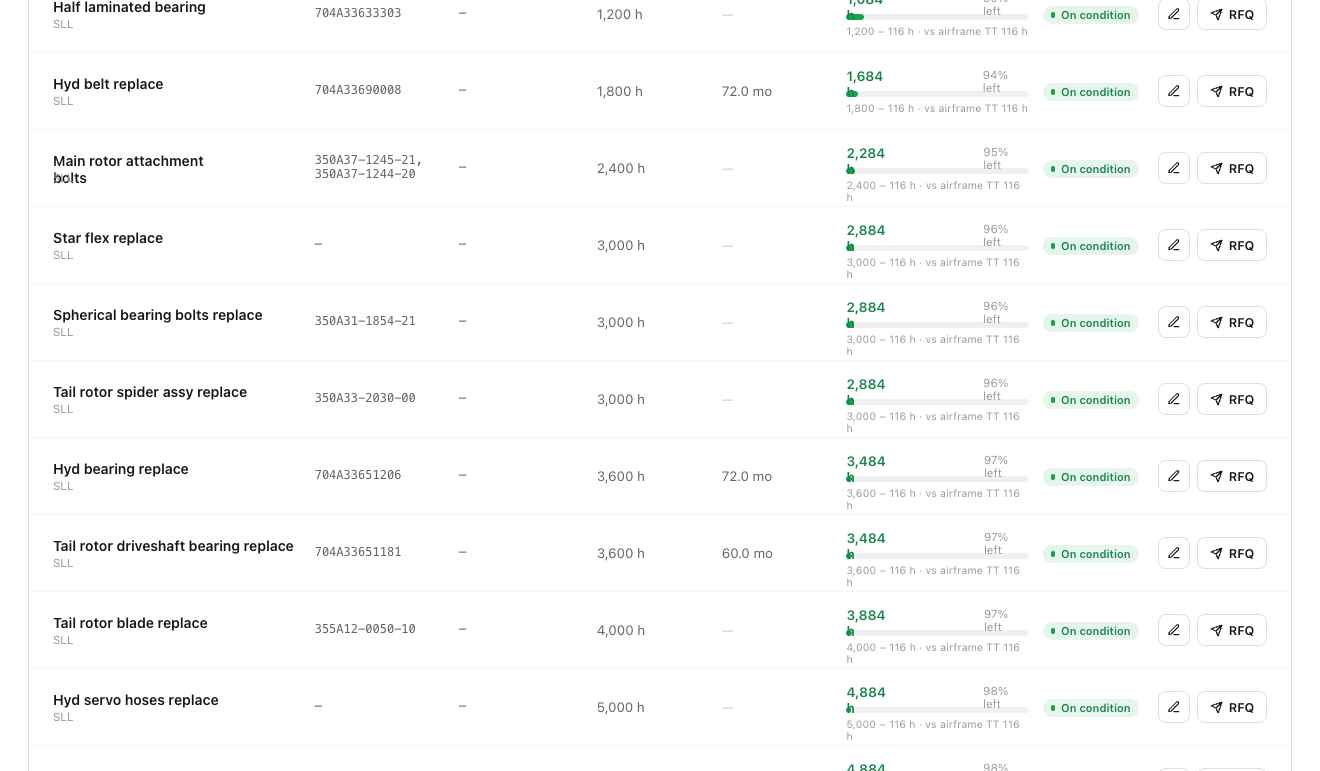
Track component life
Every life-limited and on-condition part sits on the major component life list with its serial, installed hours and remaining life against hours, cycles and calendar.
- Search by part name, number or serial
- Install, remove and overhaul events logged with dates and hours
- Remaining life recalculated from the aircraft's live hours
04
Documents
C of A, C of R, weight schedules, release notes and manuals stored on the aircraft record and available offline in the field.
05
Technical support
Raise a query against the aircraft, attach photos and readings, and keep the thread on the record where the next engineer will find it.
06
Reports & quotes
Produce a status report for an owner, insurer or buyer, or request a quote for upcoming work, straight from the live figures.
Common questions
What operators ask before they enrol a fleet. If yours is not here, send us an enquiry.
Every life-limited and on-condition part sits on the major component list with its hours, cycles and calendar limits. When you log a flight, Heli Lab applies the airframe and engine times to each component and recalculates what is remaining, so the next inspection, overhaul and removal dates move on their own. Nothing is tracked twice and nothing is tracked by hand.
Any rotary or fixed-wing aircraft. Heli Lab was built around helicopter maintenance programmes — Airbus, Robinson, Bell and Leonardo types are in daily use — and the same component logic handles engines, gearboxes, blades and appliances on any type you enrol.
Heli Lab keeps the maintenance history, flight log, component life record and airworthiness documents in one auditable place, and produces status reports you can hand to an inspector, insurer or buyer. Responsibility for the approved maintenance programme stays with your AMO and accountable manager — Heli Lab is the record system, not the approval.
Usually a few working days per aircraft. You send one workbook with your aircraft, engines, component histories and current times; we load it, reconcile the totals and hand the fleet back to you set up. You do not build anything yourself.
One flat monthly rate per aircraft with everything included — unlimited users, every platform, enrolment and support. There are no modules, no per-seat fees and no charge for adding your engineers, pilots or owners. See the pricing page for the current rate.
Yes. Users are unlimited and each role sees what it needs: pilots capture flights, engineers work the component list and technical queries, owners and managers see status, costs and reports. Access is per aircraft, so a managed fleet can be split between operators.
The web app runs in any browser, with native builds for macOS, Windows and Android. Flight capture works on a phone or tablet at the aircraft and syncs to the same record everyone else sees.
They come across during enrolment. Historical logbooks, component cards and spreadsheets are loaded so the opening times and remaining life are correct on day one, and you keep the originals for your own archive.
Need the detail on a specific tab?
Every field is walked through with the people who will use it at handover, and support stays with you for as long as you subscribe.